> For the complete documentation index, see [llms.txt](https://litepaper.funtico.com/funtico-litepaper/llms.txt). Markdown versions of documentation pages are available by appending `.md` to page URLs; this page is available as [Markdown](https://litepaper.funtico.com/funtico-litepaper/funtico-platform/player-customization.md).

# Player Customization
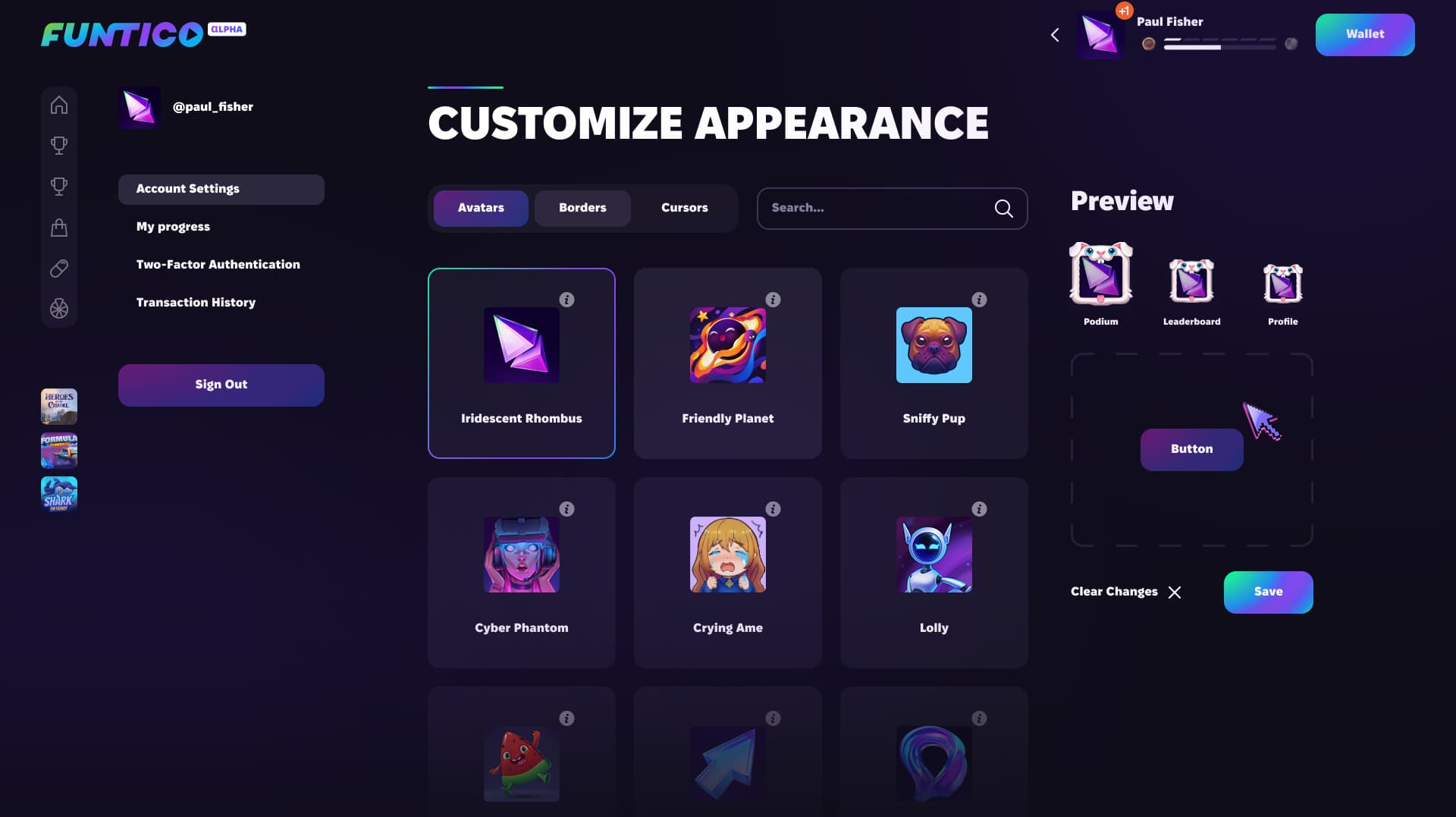
<div data-full-width="true"><figure><img src="/files/APR5e2NPzqBrNqeDKmu3" alt=""><figcaption><p>Customize Appearance</p></figcaption></figure></div>

Within Funtico, users enjoy an extensive array of avatar customization options, both static and animated, to tailor their experience. This feature enriches player identity by allowing them to select options that best reflect their personality.

Users can unlock custom avatars, borders, and cursors through several avenues: by advancing in player progression rankings, achieving milestones in various Funtico games, or purchasing them with a secondary currency accumulated within the platform.

## **Custom Assets**

Users or organizations can opt to have their own NFTs gain utility on the Funtico platform or have a part in the current seasonal progression. We can implement custom solutions to render your NFT in the style of a game, adding utility for all holders and offering the chance to turn ownership into rewards on the Funtico platform.

## **User-Generated Content**

Individuals can create their own assets through an on-platform iteration and generation process. Leveraging our onboard assistant, BrainyAI, users can generate a new asset. They can then choose the parts they like and reiterate the parts they don’t. Once they’re happy with their prototype, our artists will get busy rendering and integrating it into their game of choice.

In both of the above cases, $TICO opens the path to customized options, assets, and integrations for a community or individual creativity to shine.

*To read more about how Funtico will use proprietary built AI tools to customize the player's experience, please check the* [*BrainyAI Chapter*](/funtico-litepaper/brainyai.md)*.*

<br>


---

# Agent Instructions
This documentation is published with GitBook. GitBook is the documentation platform designed so that both humans and AI agents can read, navigate, and reason over technical content effectively. Learn more at gitbook.com.

## Querying This Documentation
If you need additional information that is not directly available in this page, you can query the documentation dynamically by asking a question.

Perform an HTTP GET request on the current page URL with the `ask` query parameter, and the optional `goal` query parameter:

```
GET https://litepaper.funtico.com/funtico-litepaper/funtico-platform/player-customization.md?ask=<question>&goal=<endgoal>
```

`ask` is the immediate question: it should be specific, self-contained, and written in natural language.
`goal` is optional and describes the broader end goal you are ultimately trying to accomplish on behalf of the user. GitBook uses it to tailor the answer towards what is most useful for that goal.

The response will contain a direct answer to the question and relevant excerpts and sources from the documentation.

Use this mechanism when the answer is not explicitly present in the current page, you need clarification or additional context, or you want to retrieve related documentation sections.
